Author

Jessey Kwong
Pebble Co-Founder
Share article
Brand New Template Editor, Multi-Owner Exports & More 🎨 (July 2026 Pebble Feature Updates)
7
News

July is here and this one's big. We're rolling out a completely rebuilt template editor, giving you full control over exports when a property has multiple owners, and revisiting a feature a lot of you haven't tried yet.
Let's get into it.
🎨 All-New Template Editor
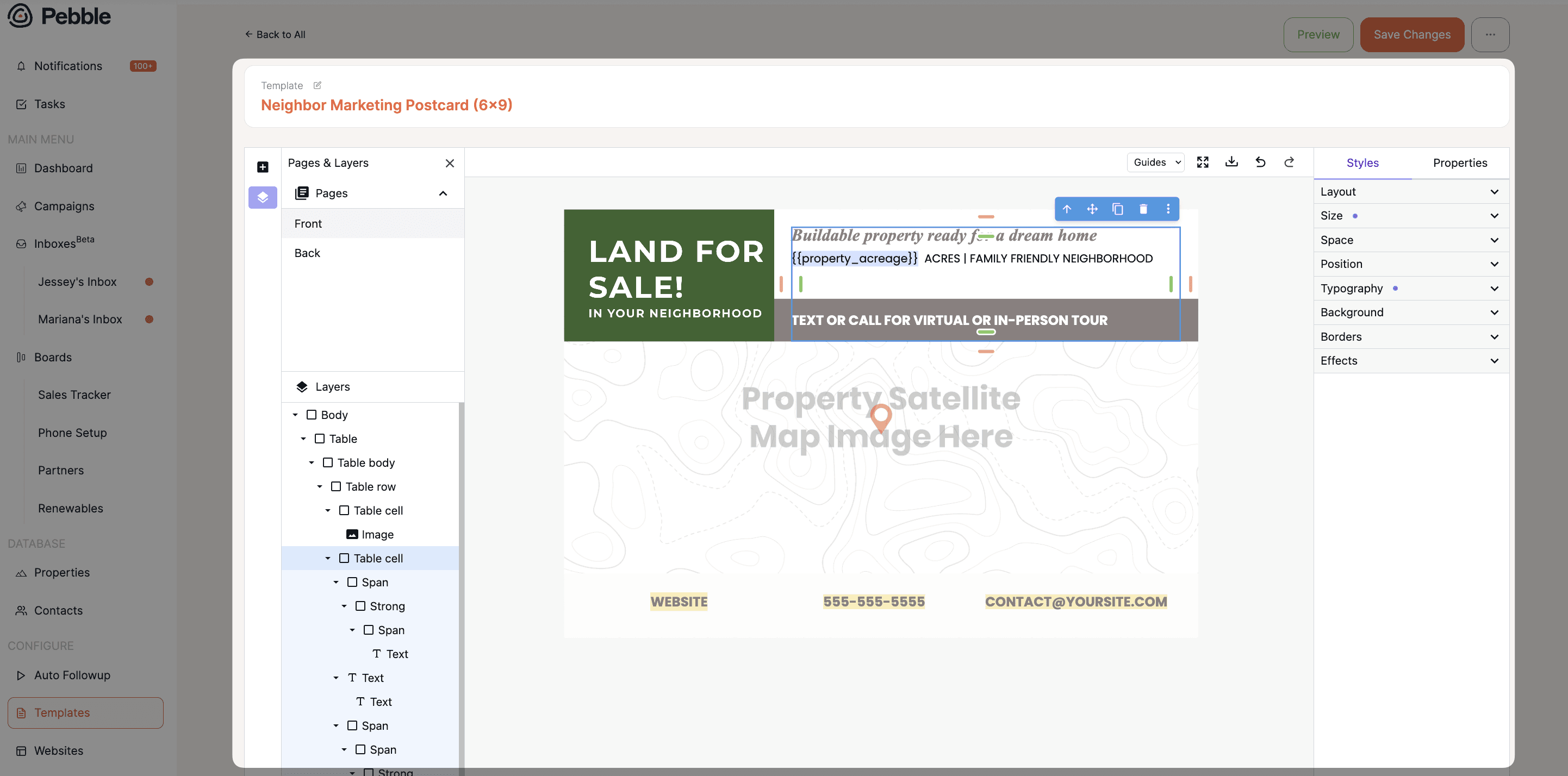
The original editor has been there since day one. This is a full rebuild.
Full layer control, similar to Figma or Illustrator. Select any layer and move it exactly where you want
Adjust sizing, spacing, backgrounds, borders, and rotation on individual elements
Full typography control: fonts, line height, letter spacing, and alignment
Drag and drop to reorder layers if you want elements stacked on top of each other
Your existing templates won't change. The new editor only appears when you create or edit a template
Rolling out over the next week or two. New templates built specifically for this editor are on the way too, including designs based on what's actually driving response rates. Using a map or satellite image on a postcard, for example, has shown close to a 29% lift in response rate compared to not including one.
📤 Multi-Owner Property Exports
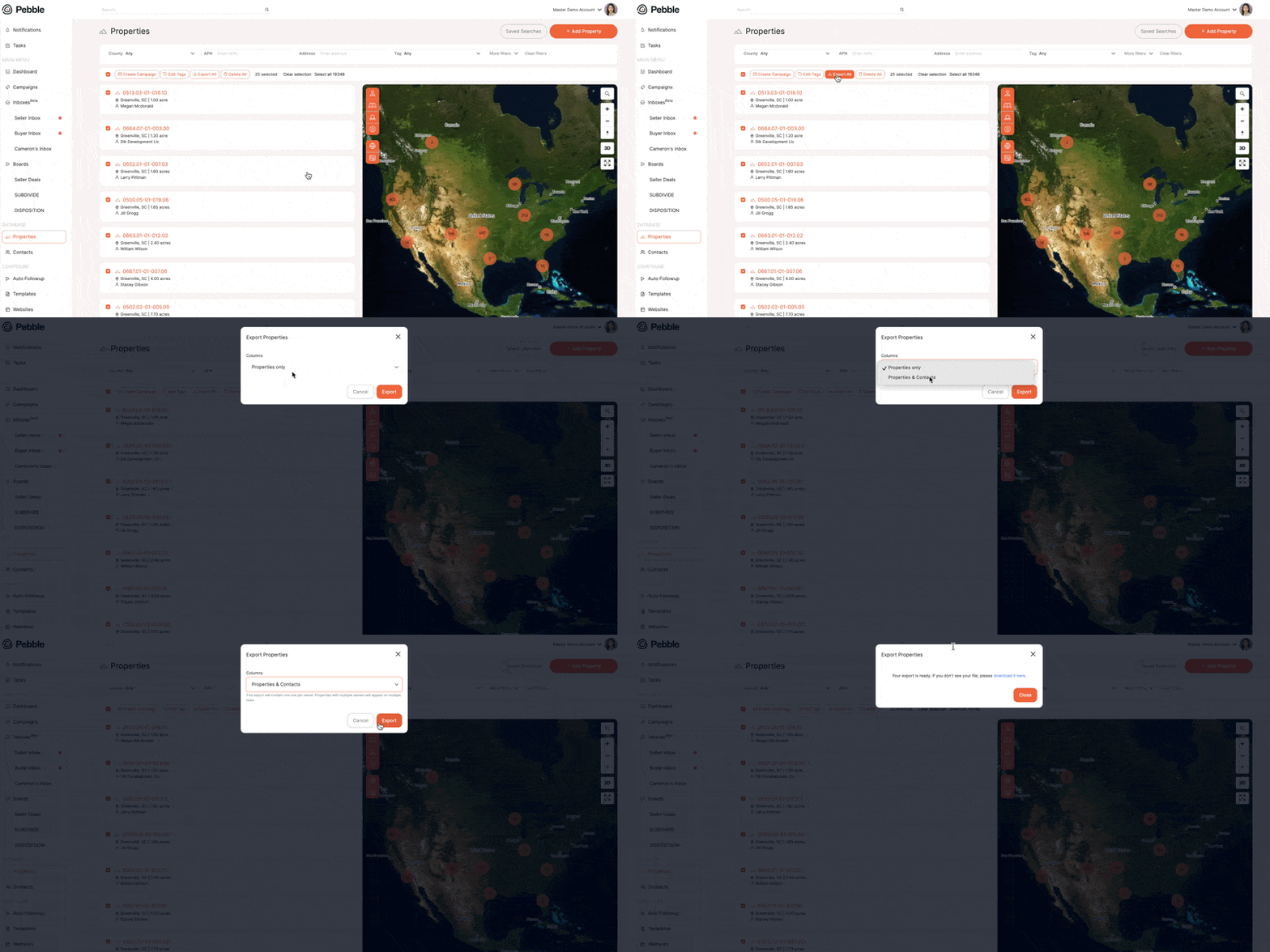
Property exports used to include only the first listed owner. Not anymore.
Select properties, click Export All
Choose "Properties only" for standard property data like APN, acreage, and county
Choose "Properties and Contacts" to get a row for every owner, including their email and phone number
Quick reminder: the same multi-owner logic already applies when you mail. If a property has several owners, say two siblings, each one can get their own letter while the property record stays as one. Every mailer is tracked separately underneath it, so you always know who received what.
📍 Feature Reminder: One-Off Documents & Neighbor Letters
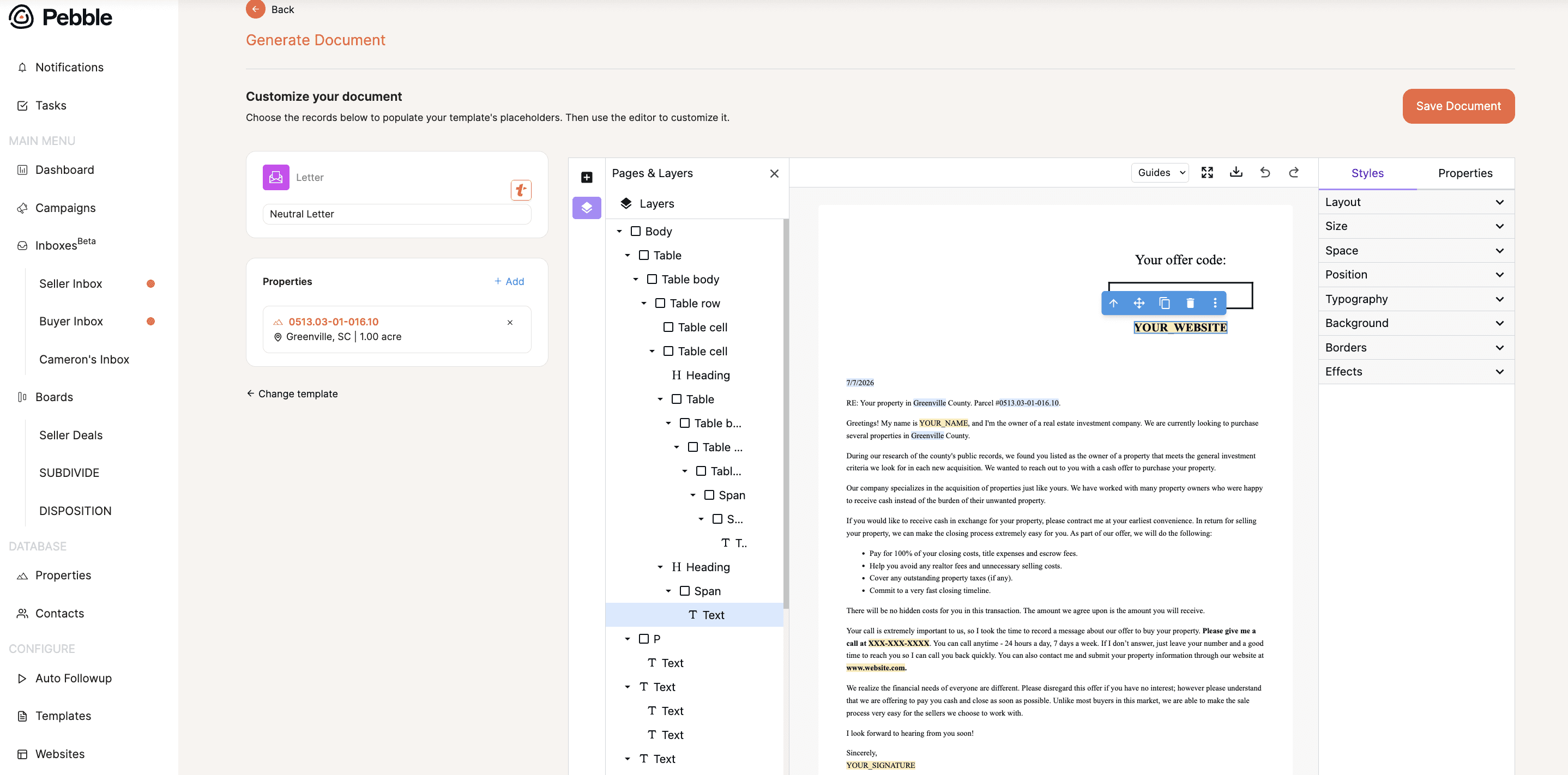
No minimums, and it works for more than just offers.
Go to any property page and scroll to the Attachments section
Click to generate a document from a template. Letters, offers, even birthday cards
Once saved, it's attached to the property. View it, print it, or mail it straight from Pebble
Click Send New under Mailings to set your return address and choose who receives it: the property's contacts, an uploaded list, or a lasso selection of neighboring parcels for a neighbor letter
It goes out the next business day and is in USPS hands the day after. Fully tracked, just like a campaign.
🔭 What's Next
We're continuing to build out mailing insights based on community feedback. If there's something specific you'd like to see added, drop it in the comments or bring it to Office Hours.
💬 Join us every Wednesday at 12 PM PST for live Office Hours. We'll walk through recent features, answer questions, and show you how to get more out of Pebble. 👉 Join Office Hours
🔗 Stay Connected with Pebble We're here to help you grow your land business:
Live Training Sessions – Weekly walkthroughs (Resources > Live Training)
Monthly Updates – Subscribe to our YouTube channel
Support Options – Live chat, email us at hello@pebblerei.com, or connect with us live