Author

Jessey Kwong
Pebble Co-Founder
Share article
Richer Exports, Follow-Up Automations & Smarter Deal Tracking 📋 (June 2026 Pebble Feature Updates)
6
News
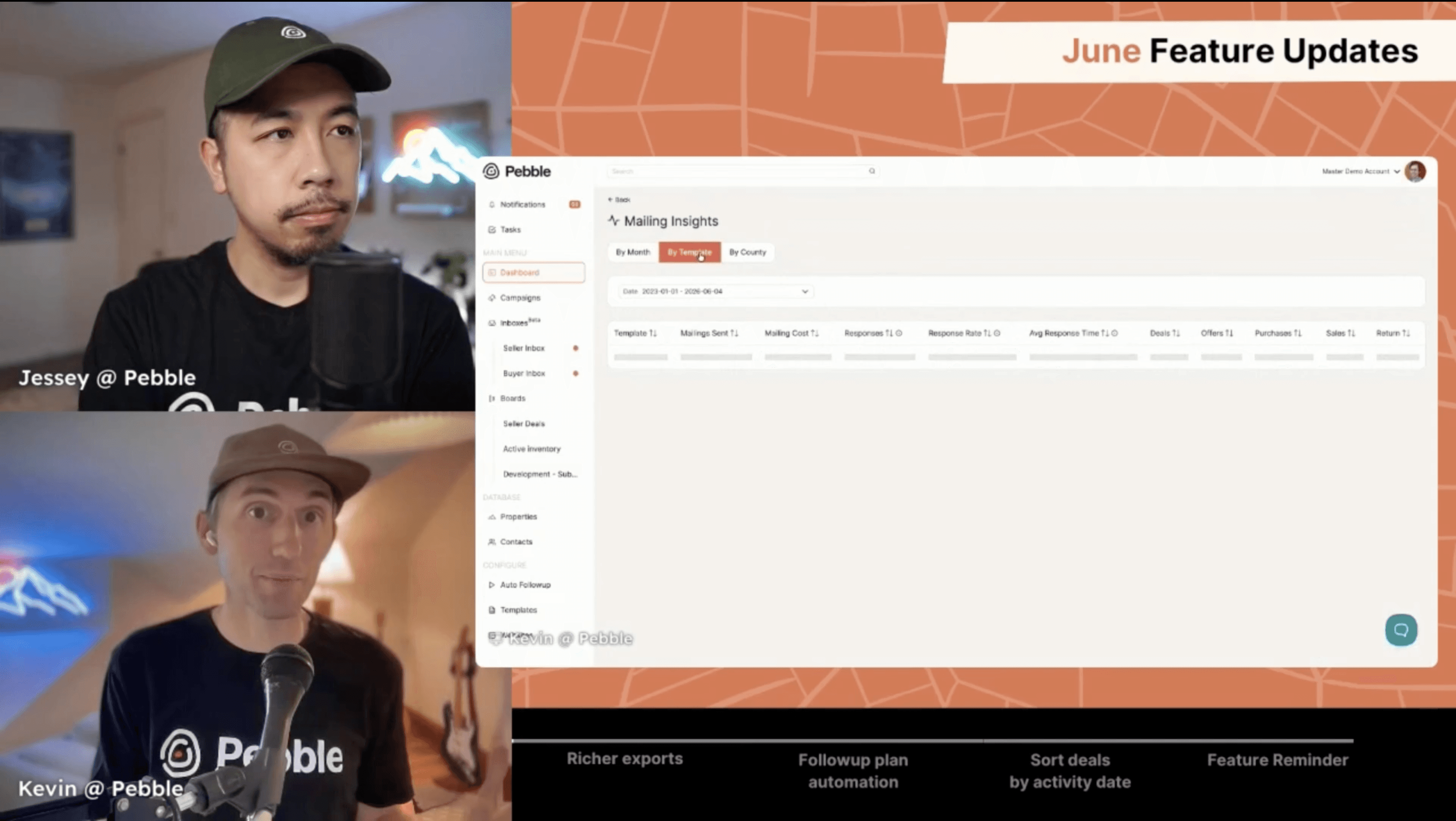
June is a big one. We've got richer property and contact exports, a new way to automate follow-up plans based on deal stage, last activity timestamps on your deal cards, and mailing insights are now fully live for everyone. Plus a reminder about the task table and why it's one of the most useful tools for keeping your team on track.
Let's get into it.
📊 Mailing Insights: Now Live
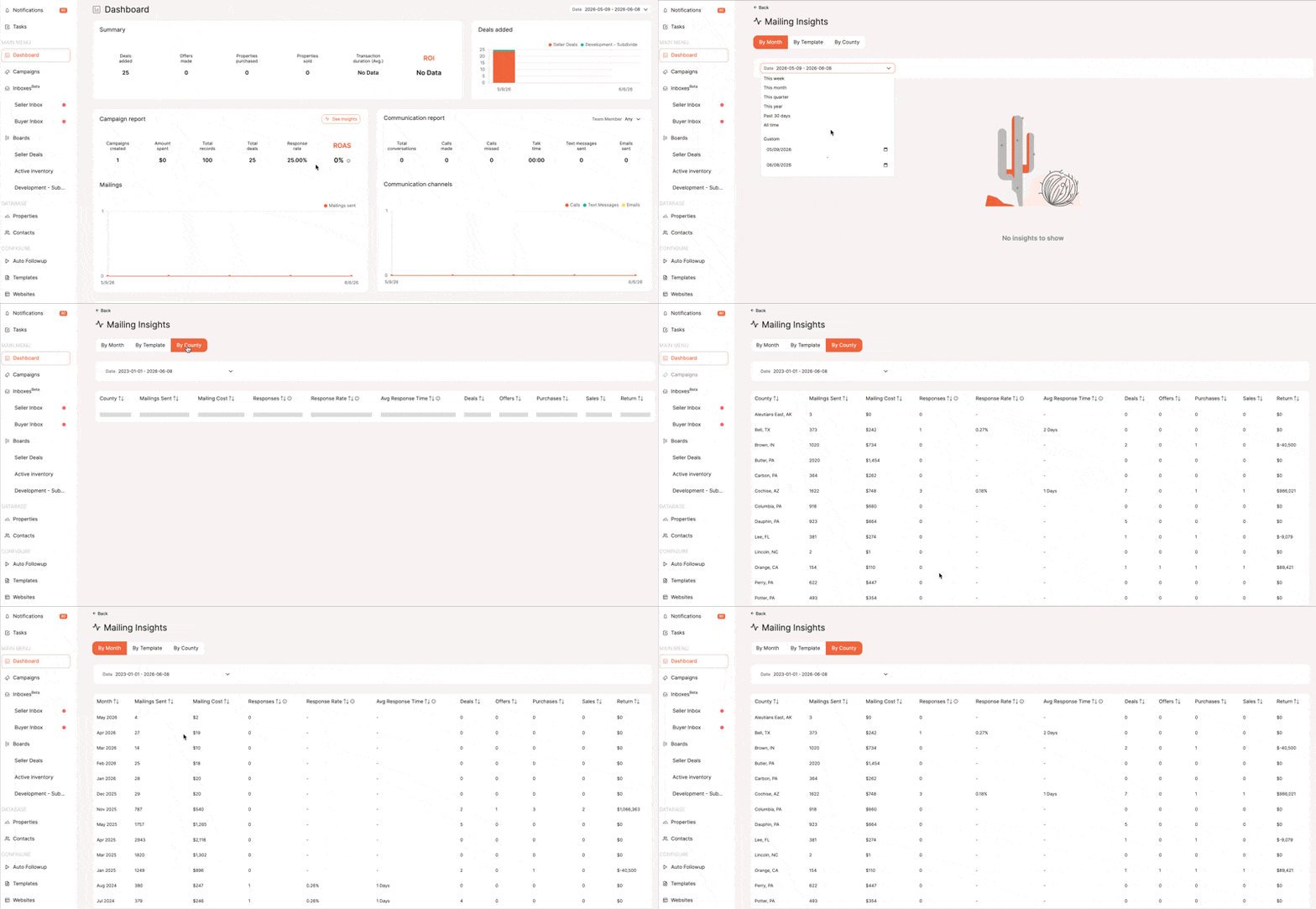
We previewed this last month and it's now available for everyone. If you haven't checked it out yet, head to your dashboard or campaigns page and click the See Insights button.
Here's what you'll find:
By month: mailings sent, total cost, responses, response rate, average response time, deals created, offers, purchases, sales, and total dollar return
By template: break down performance by template type and mailing class so you can see exactly what's generating responses and return. Great for A/B testing
By county: see which counties are performing best so you can shift spend accordingly
A few things worth knowing. Every mailer inside Pebble gets its own unique mailer code assigned per piece, not per property. That means even if you've mailed the same contact multiple times across different campaigns, you'll be able to see which specific campaign generated the response. That's a level of attribution you won't get anywhere else.
Mailing insights are included at no extra cost as part of Pebble's mailing system.
📤 Richer Exports
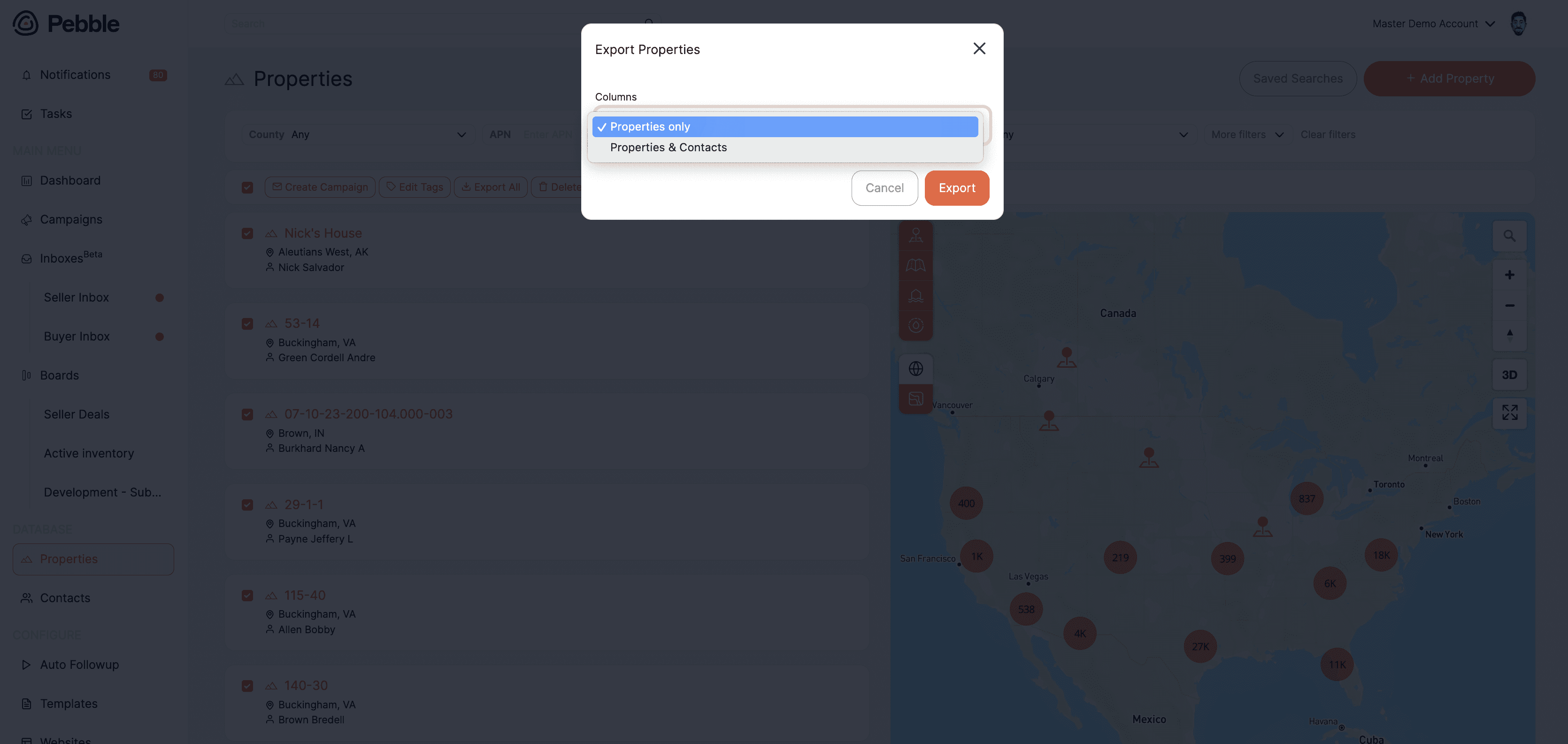
Exports just got a lot more useful. Whether you're exporting from properties or contacts, you now have more control over what comes out.
From properties, you can export:
Property data only (acreage, APN, county, state, custom fields)
Property data plus all owner information (name, address, phone, email)
If a property has multiple owners, each owner gets their own row. This makes it easy to bring owner data into Excel or loop it back into a campaign import.
From contacts, you can export:
Contacts only
Contacts with all of their associated properties included
More flexibility, less manual work.
🔄 Follow-Up Plan Automations

Follow-up plans have been in Pebble for a while, but now they can trigger automatically based on deal stage. This is a big one for anyone running a team or managing a high volume of leads.
Here's how it works. Open a stage on your deal board, add an automation, and select Enroll in Auto Follow-Up Plan. Choose the plan and save. From that point on, any deal that lands on that stage will automatically enroll the contact into that follow-up sequence.
This works whether a deal lands there manually, from your inbox, or pushed in from an external platform like Launch Control. As soon as it hits the stage, the automation runs.
Follow-up plans can include email, text, call reminders, and direct mail, all inside Pebble.
📋 Last Activity on Deal Cards
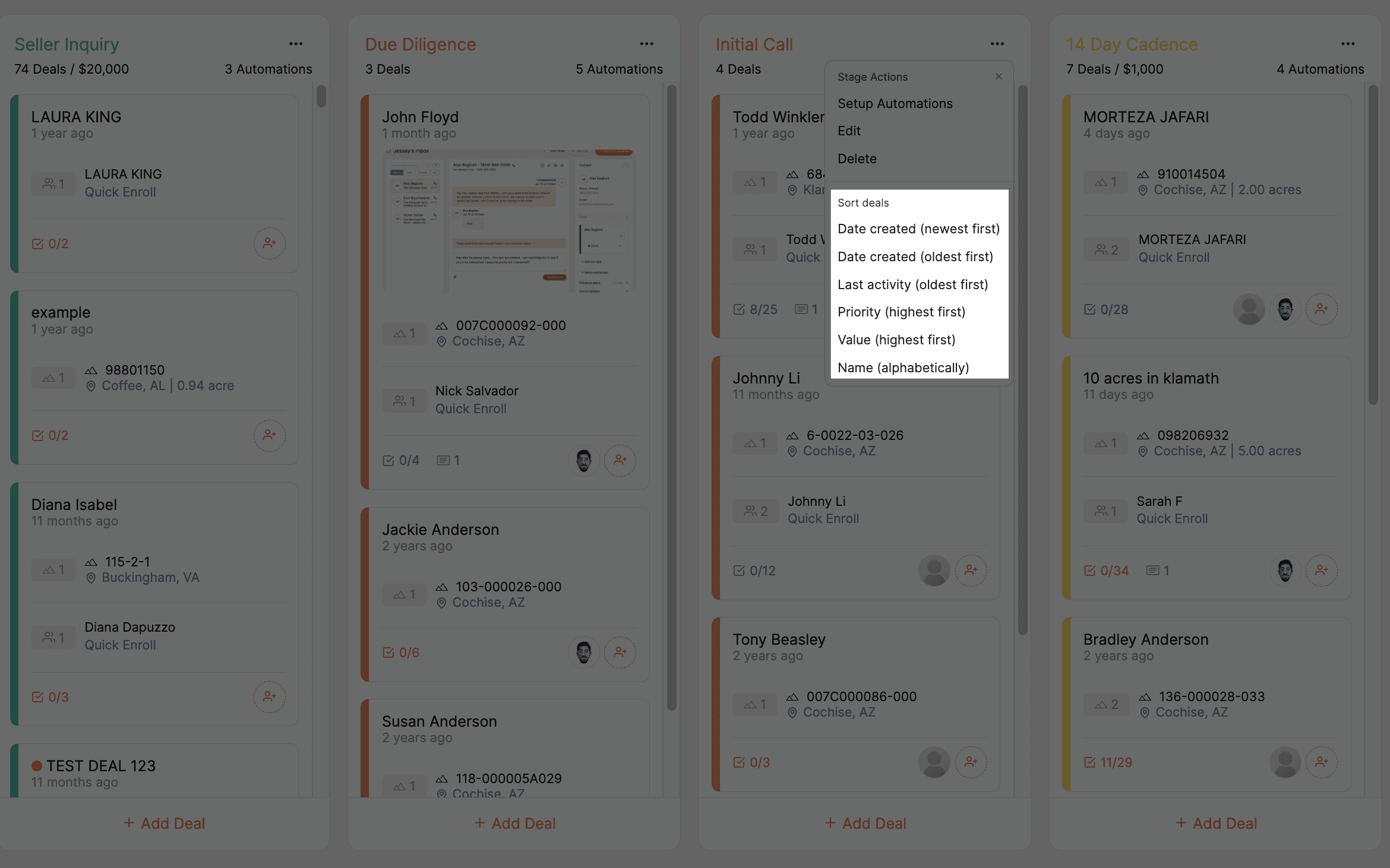
Each deal card now shows the last time activity happened on that deal, whether that was a stage change, a note added, or a task completed.
Activity timestamp shows directly on the card
Sort your deal board by last activity date, oldest first to surface deals that need attention
Great for making sure nothing goes cold
A small addition that makes a real difference when you're managing a full pipeline.
📌 Feature Reminder: The Task Table
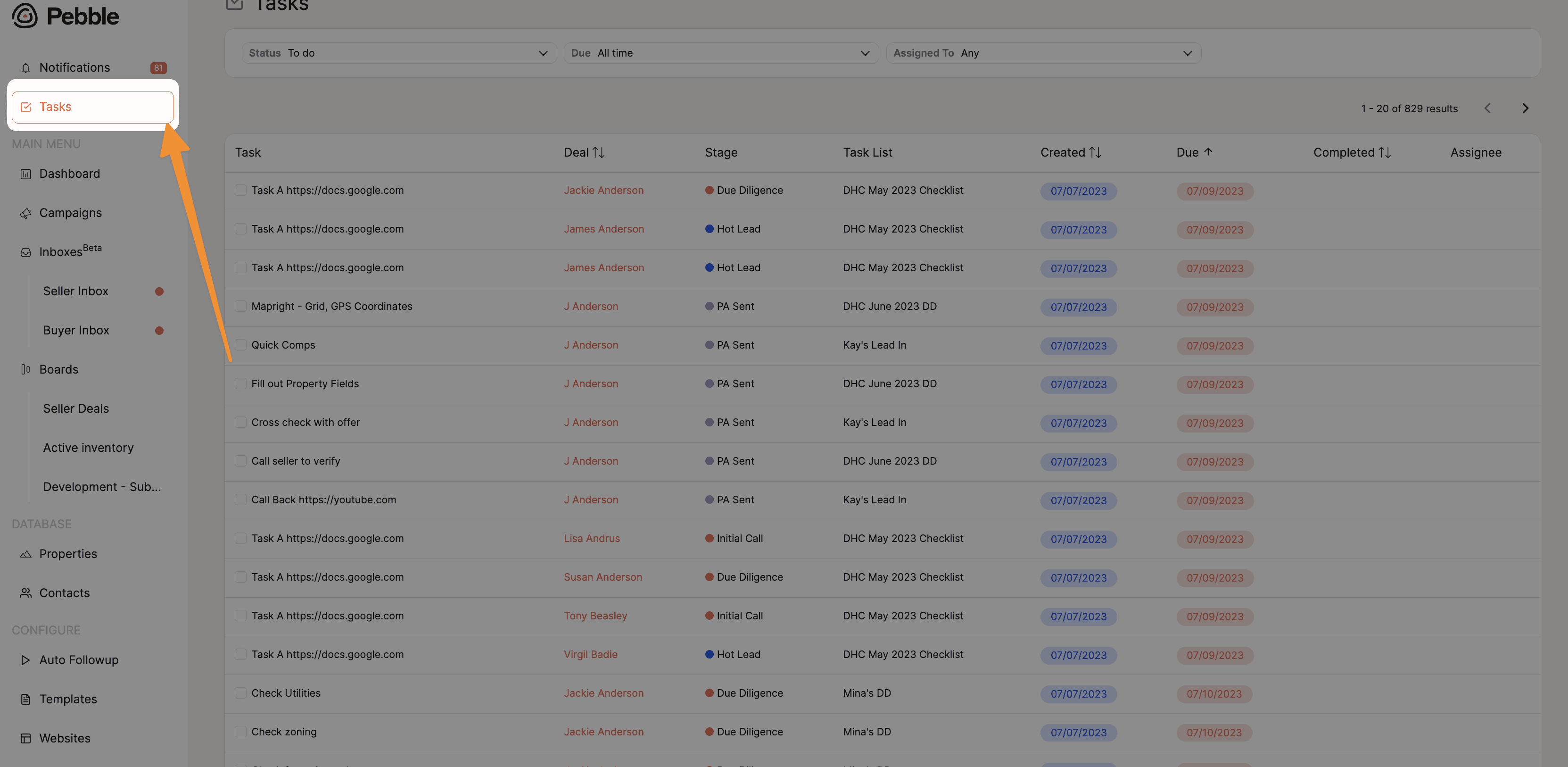
The task table is one of the most overlooked tools in Pebble, especially for team leads and business owners who want visibility without micromanaging.
Head to the Tasks section to see:
Every open task, who it's assigned to, and when it's due
Overdue tasks highlighted so nothing slips through
The ability to filter by what's due today
Team members can bookmark the task page and use it as their daily dashboard. Every time they log in, they'll see exactly what needs to get done and what's overdue, filtered down to just their assignments.
Tasks tie directly into your deal board. When a deal reaches a certain stage, tasks can be auto-created and auto-assigned, so the countdown starts and the right person gets notified without any manual setup.
If you're running a team and not using the task table, this is worth five minutes of your time to explore.
🔭 What's Next
We're continuing to build out mailing insights based on community feedback. If there's something specific you'd like to see added, drop it in the comments or bring it to Office Hours.
💬 Join us every Wednesday at 12 PM PST for live Office Hours. We'll walk through recent features, answer questions, and show you how to get more out of Pebble. 👉 Join Office Hours
🔗 Stay Connected with Pebble We're here to help you grow your land business:
Live Training Sessions – Weekly walkthroughs (Resources > Live Training)
Monthly Updates – Subscribe to our YouTube channel
Support Options – Live chat, email us at hello@pebblerei.com, or connect with us live