Author

Jessey Kwong
Pebble Co-Founder
Share article
Q1 2026: What's New in Pebble
0
News
Q1 Was Busy. Here's the Proof.
Three months. A lot of shipping. Here's everything we released in Q1, built around one goal: helping land investors move faster and close more deals.
January: Smarter Notes And A Cleaner Activity Feed
📝 Smarter Deal Notes
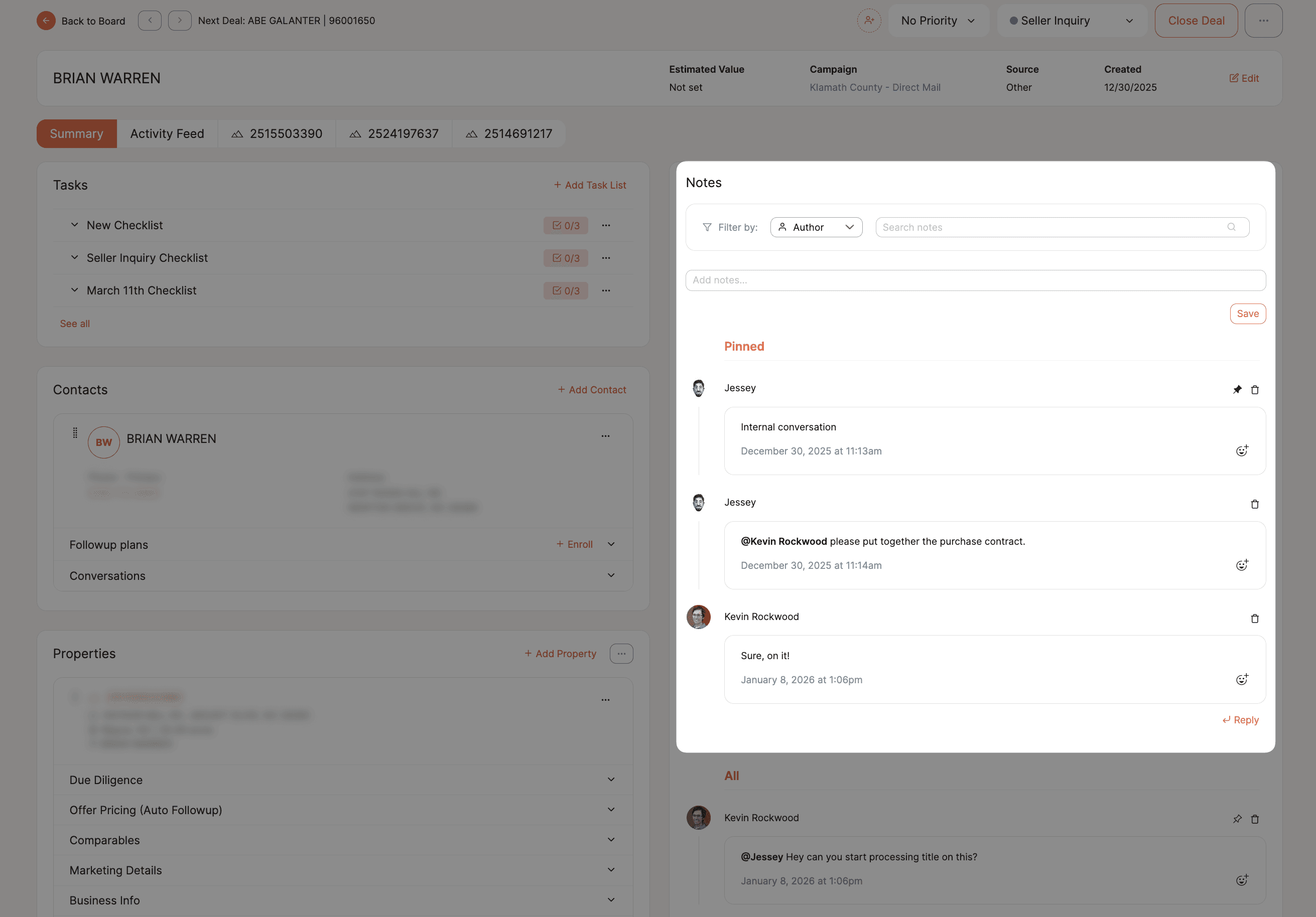
Deal notes now support threaded replies, so conversations stay organized by topic, whether you're coordinating title, planning a road install, or tracking a rezoning.
Pin critical notes to the top so nothing important gets buried. Filter by team member or keyword when you need to find something fast.
📋 Cleaner Activity Feed
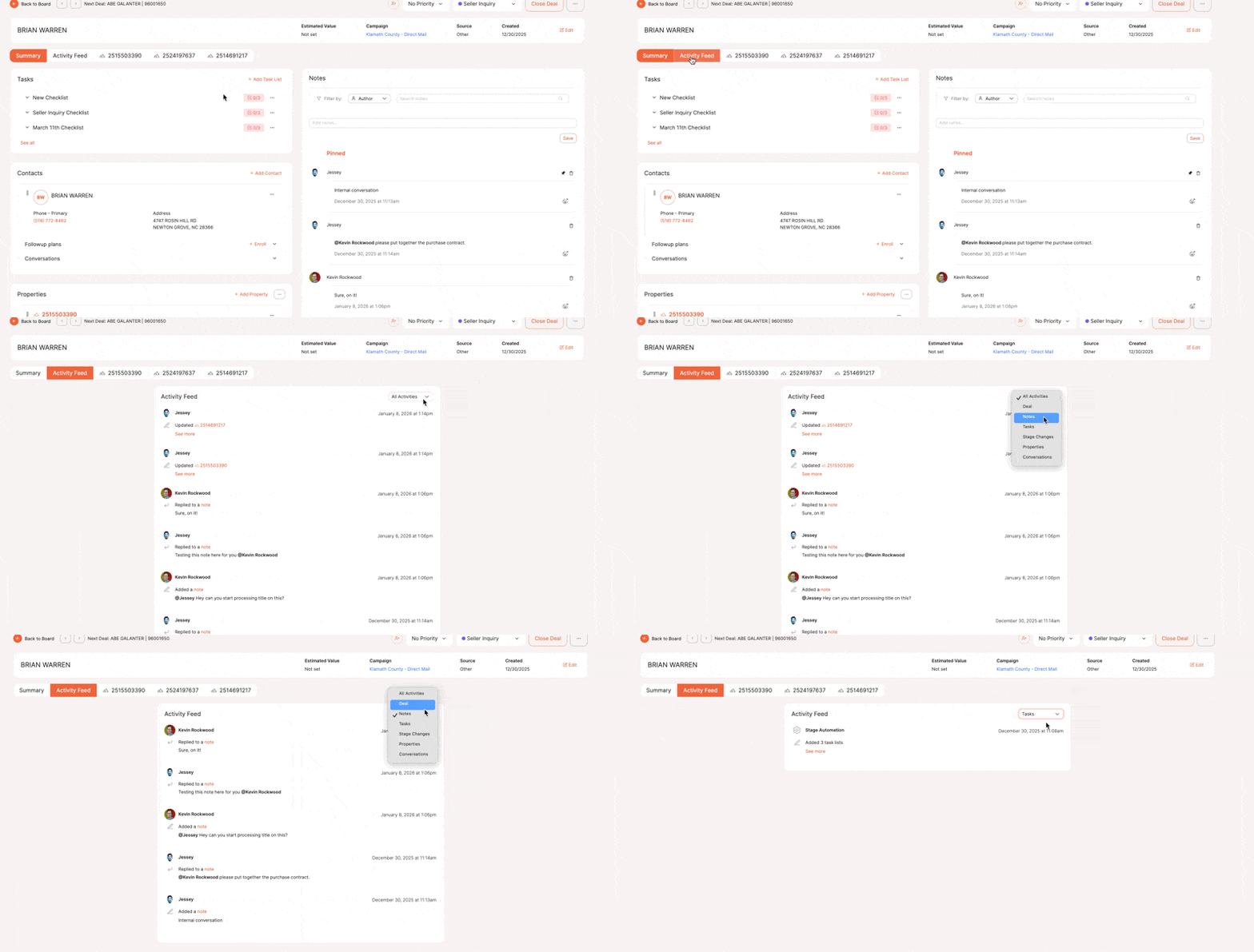
System activity such as stage changes, purchase updates, and team notes now lives in its own tab.
Your notes feed stays focused on conversations. Your activity log stays focused on history. No more noise.
💡 Pro Tip: Satellite Images in Direct Mail

Every mailer you send through Pebble can include the actual satellite image of that property, pulled automatically from GPS coordinates at no extra charge.
All 5,000 mailers in a campaign can have a completely unique image. It’s one of the highest-performing features our users report. Works on postcards, letters, and windowed envelopes.
February: Faster Imports, Smarter Task Management & Notes Search
👥 Reorder Property Owners
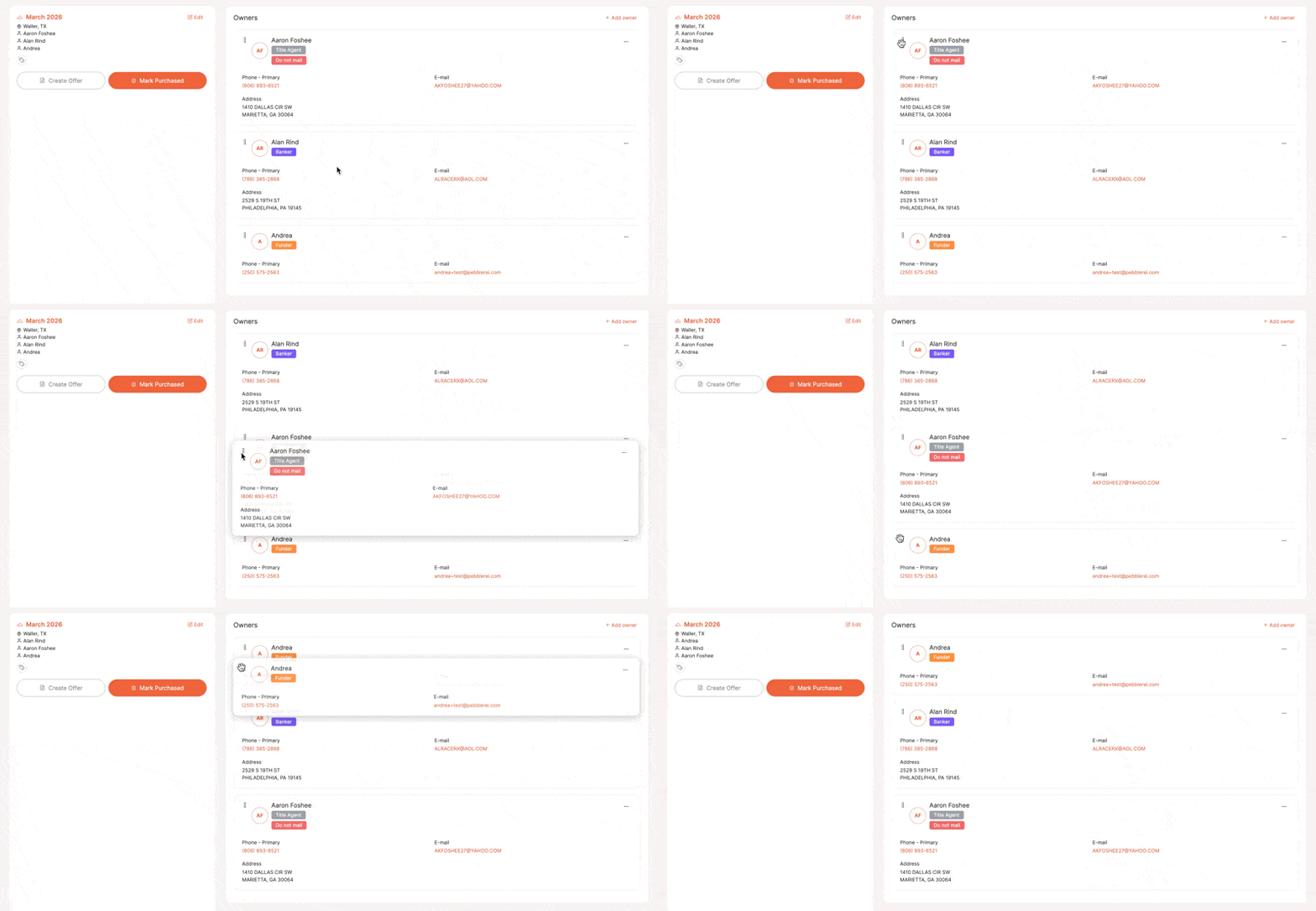
Drag and drop owners within a property record to set your primary contact. That order carries through to documents automatically.
📥 Simplified Campaign Imports
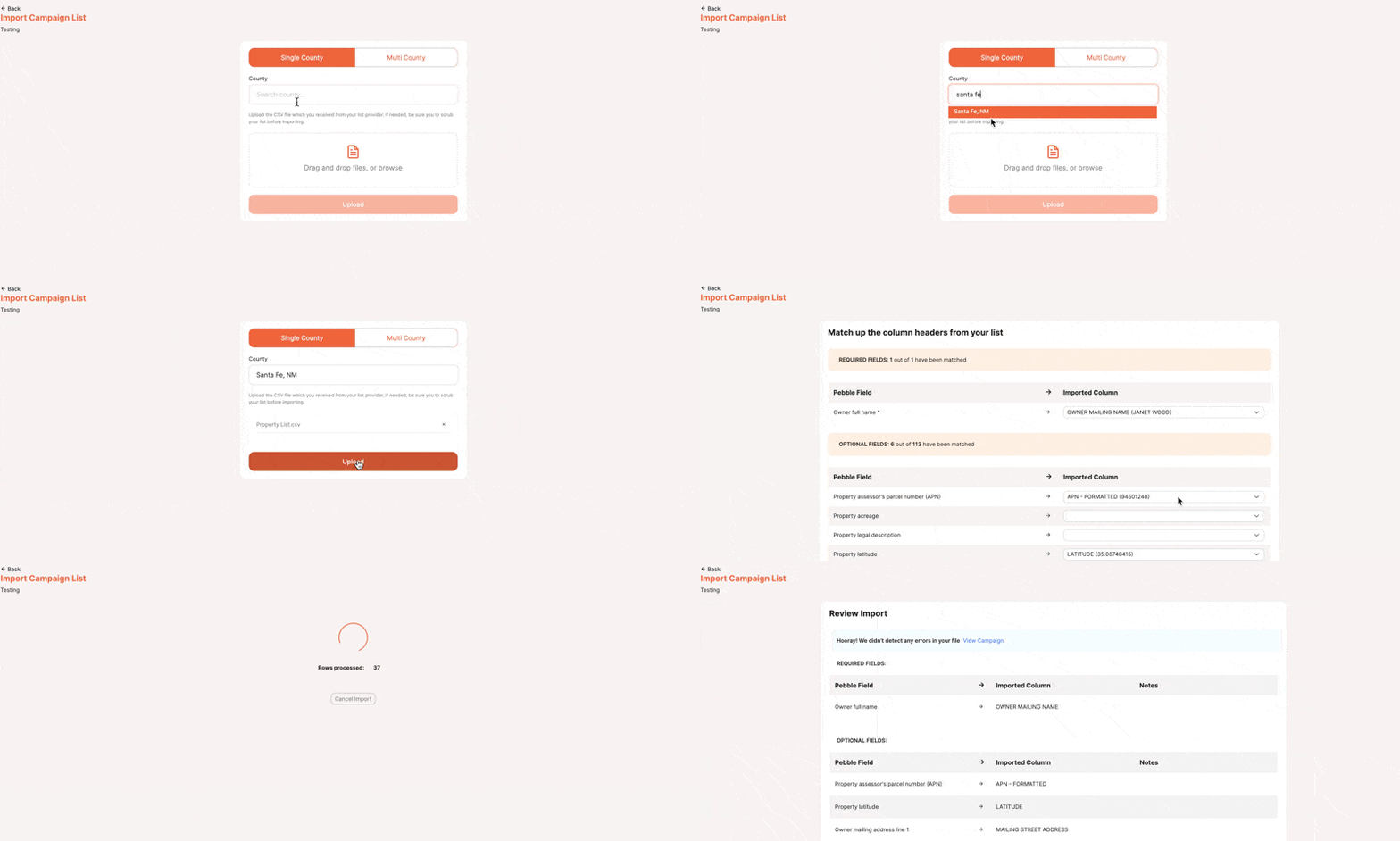
No need to specify list type before importing. Just create a campaign and bring in your data, addresses, phone numbers, whatever you have.
Everything is optional. Pebble prompts you only when something is required to activate a specific campaign type.
⏰ Overdue Task Filter
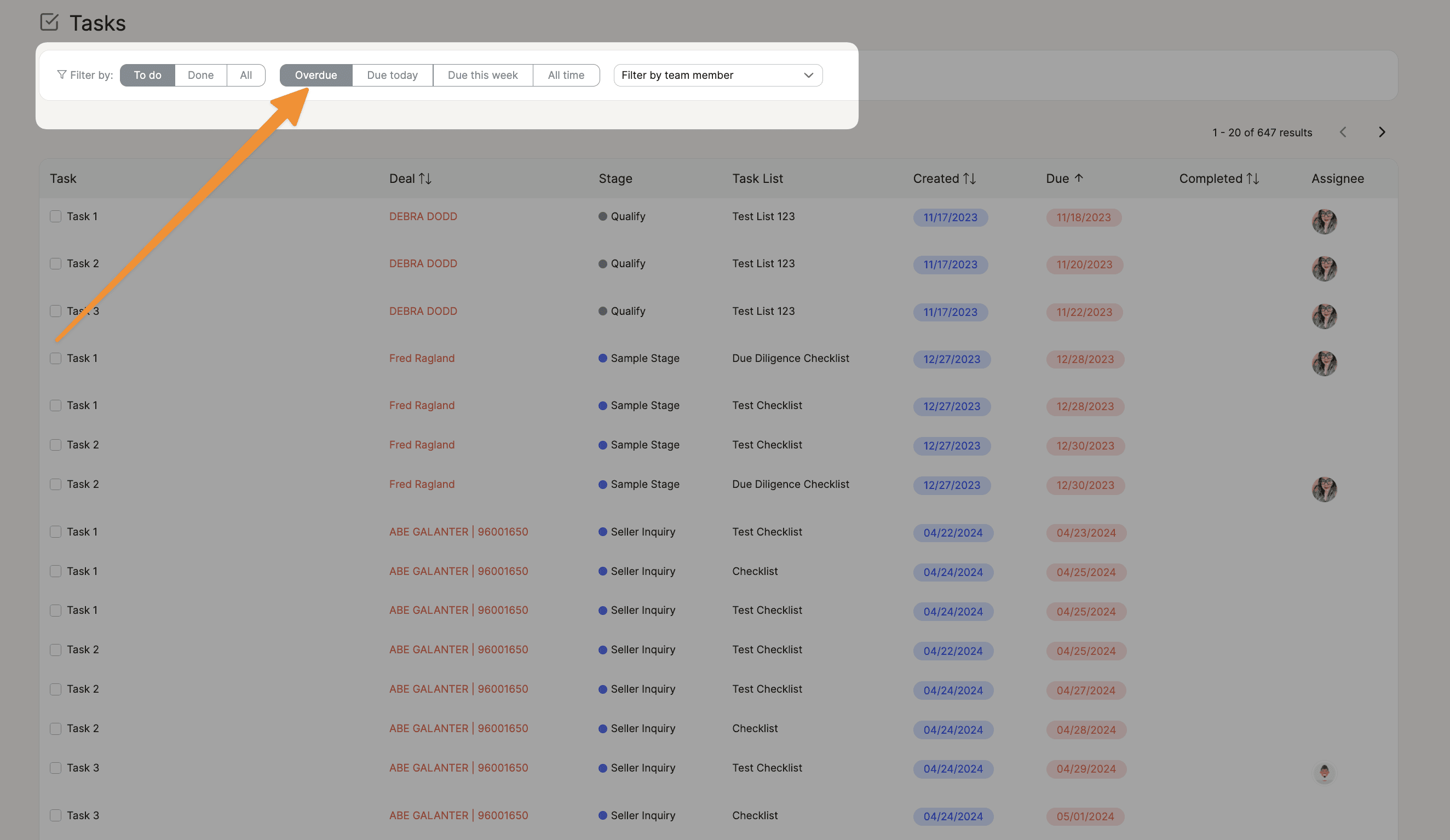
Filter your task view down to overdue items only, sorted by deal. See exactly which deals need attention and act immediately.
🔍 Search and Filter Deal Notes

Search notes by keyword or filter by author - essential for long-running deals where context accumulates fast.
💡 Pro Tip: Remarketing with Property Filters
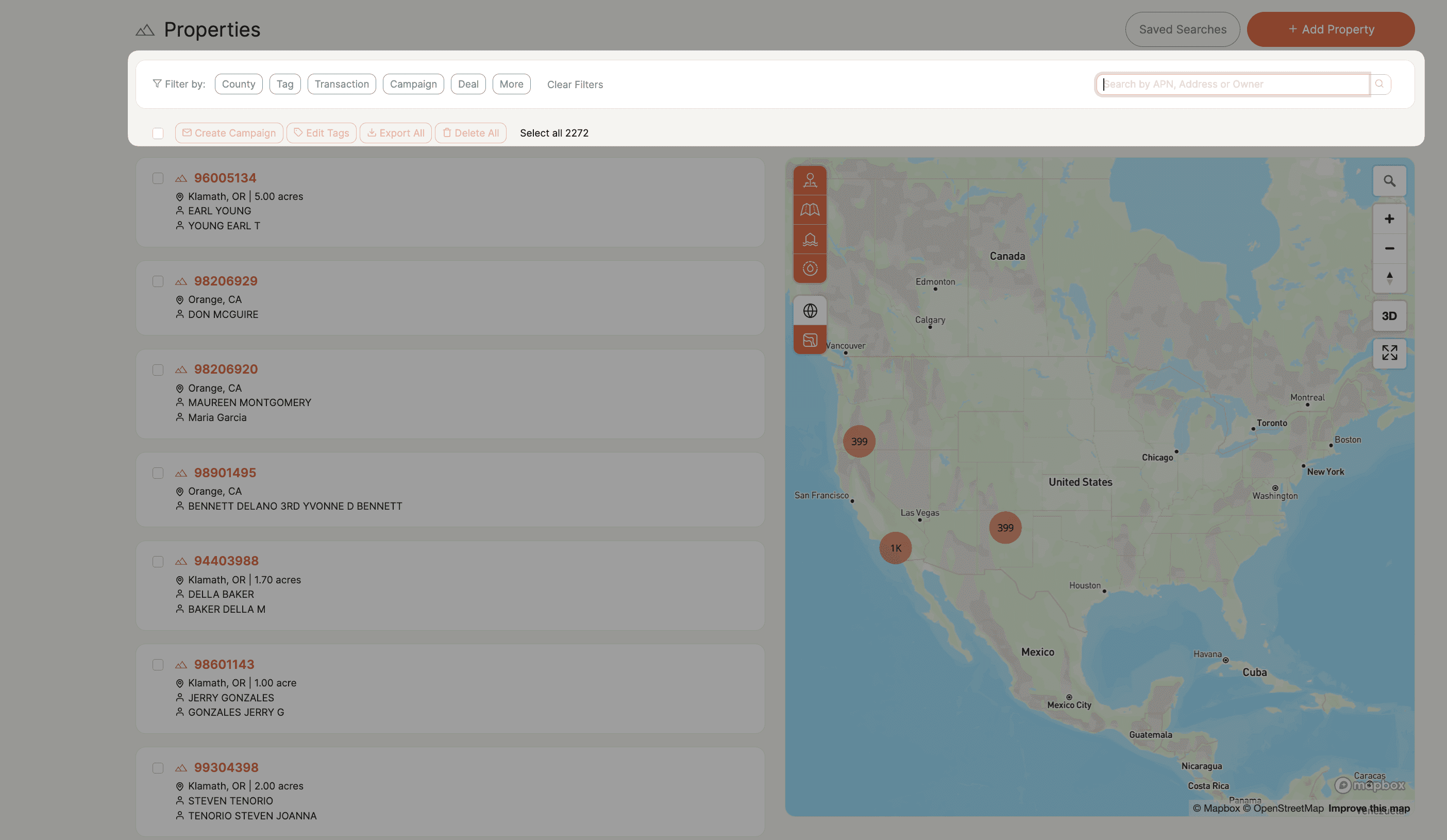
The property filter is one of the most underused power tools in Pebble.
Filter your database by county, acreage, mailing date, campaign history, and more, then launch a new campaign in seconds.
Top-performing users remarket on a set schedule. Pull properties mailed 3–4 months ago, exclude responders, and drop a new mailer. With property filters, it’s a two-minute task.
March: Action Plan Search & Partial Addresses
🔎 Action Plan Search
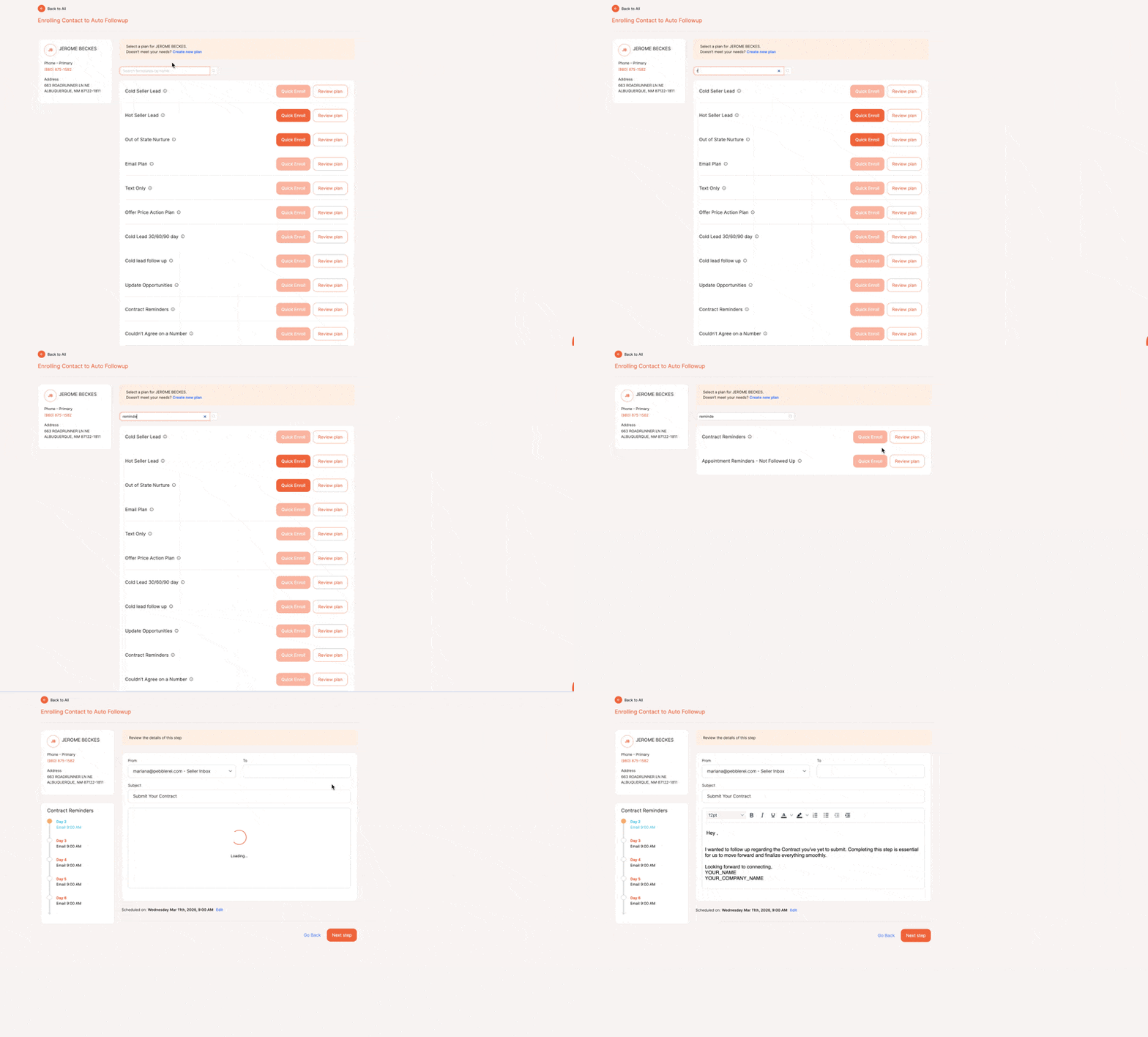
Search action plans by name and preview the steps before enrolling, so you always pick the right plan without guessing.
🏡 Partial Property Addresses
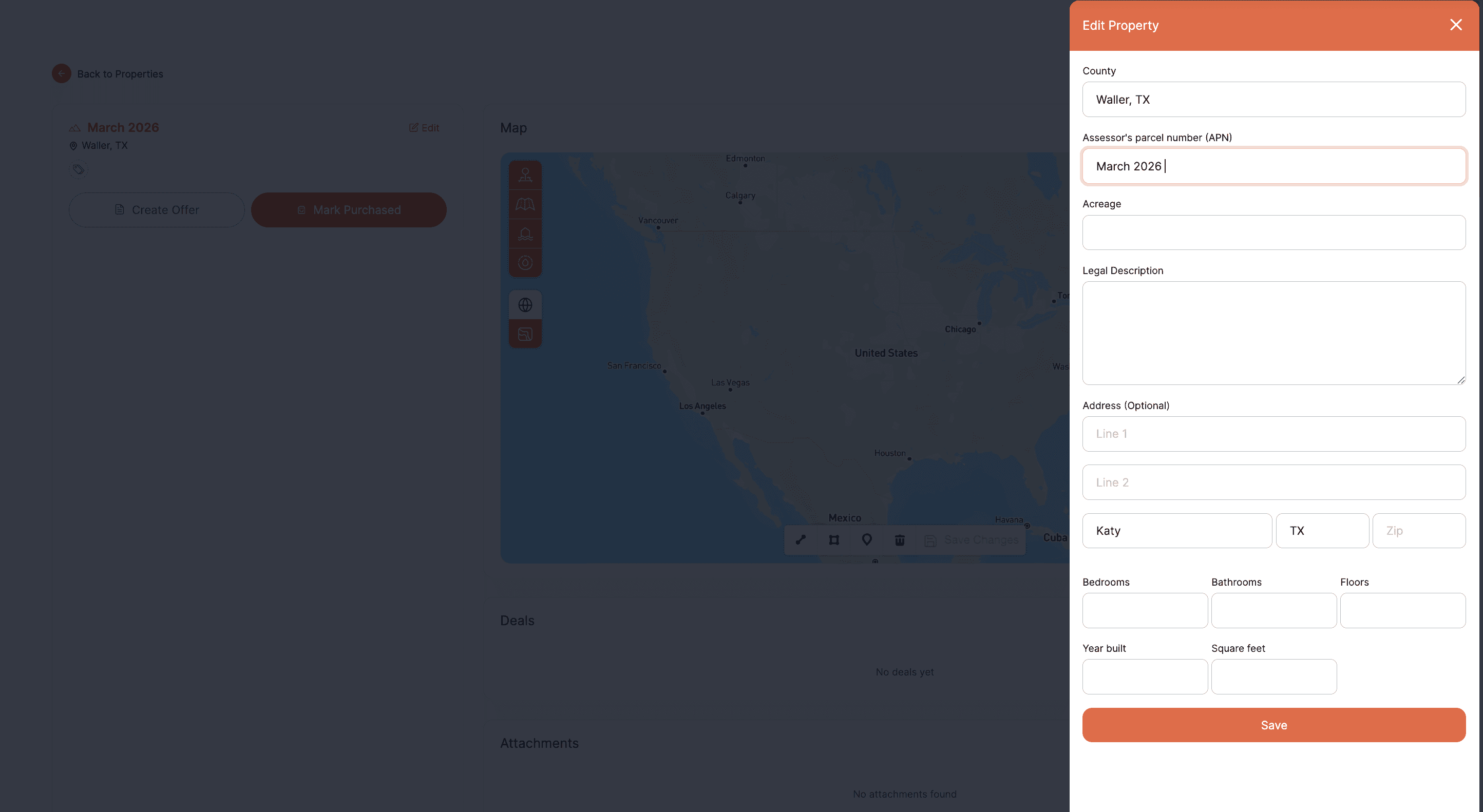
Raw land rarely has a clean address. You can now save a property with just a city, zip code, or APN. No more getting blocked from adding a record because the address isn’t complete.
💬 Learn It Live — Free Weekly Training
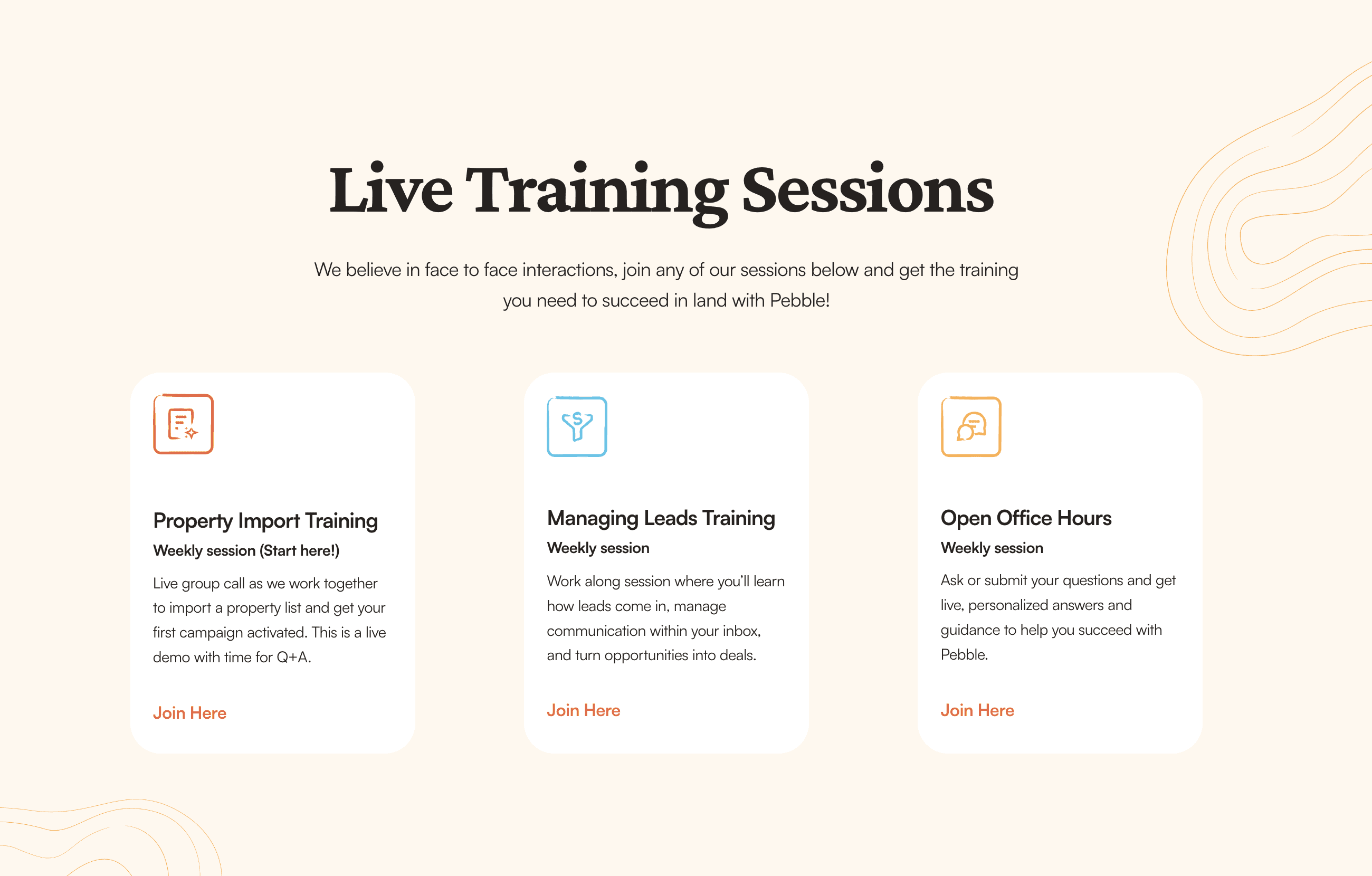
Three sessions every week, straight from the Pebble team:
Property Import Training - Get your data in and your first campaign out
Managing Your Leads - Work your inbox, deal board, and inbound responses
Open Office Hours (Wednesdays) - Bring any question, get a live answer
Reserve your spot at pebblerei.com/live-training →
Q2 is already shaping up to be the biggest quarter yet. Want an early look? Join us at office hours - or see everything Pebble can do →